 Relic Hunt
Getting started
How to Save Your Hero and Play on Any Device
You can start playing Relic Hunt without an account. The first time you press Play, the game creates a guest hero with a random name. That is convenient, but it ties your hero to the browser you started in. Linking your account removes that risk.
What is saved on the server and in your browser
Your character lives on the game servers. Level, attributes, equipment, bag, stash, quests, tasks, daily reward progress and position are all saved there. Your browser keeps only a sign-in key that tells the server which hero is yours, plus settings such as quality, language and volume.
For a guest hero, that key is the only link between you and your progress. While it stays in the browser, the game signs you back in automatically.
How a guest hero gets lost
If the sign-in key disappears, the next launch can't find your hero and creates a new guest. The old character still exists on the server, but nothing points to it any more. The key disappears when:
- you clear the browser's site data, cookies or storage for the game,
- you play in a private or incognito window and close it,
- you open the game in a different browser or on a different device,
- you press Reset to default in Settings, which clears everything the game has stored in this browser, sign-in key included.
Linking your account
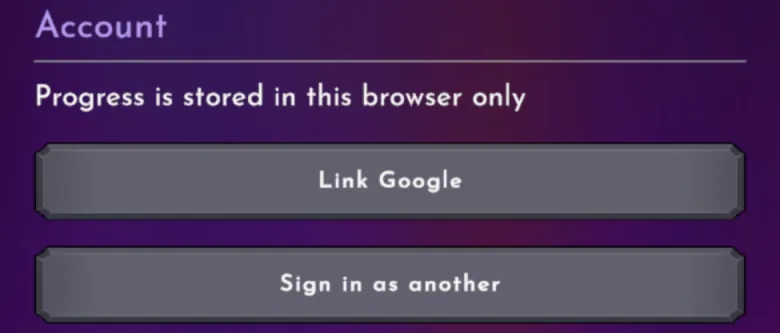
Linking attaches your hero to a Google or Facebook account, so it no longer depends on one browser. The Account section of Settings shows where you stand. If it says Progress is stored in this browser only, you are still a guest.
- Open Settings and find the Account section.
- Press Link Google, or Link Facebook if that button is shown. You only see the providers available on your server.
- Choose your account in the sign-in popup.
- When the link succeeds, your character takes the name from your linked profile right away, without a reload. The new name also replaces the old one on the leaderboards.
- From then on, the Account section shows the linked email instead of the guest warning.
The Save Your Progress quest
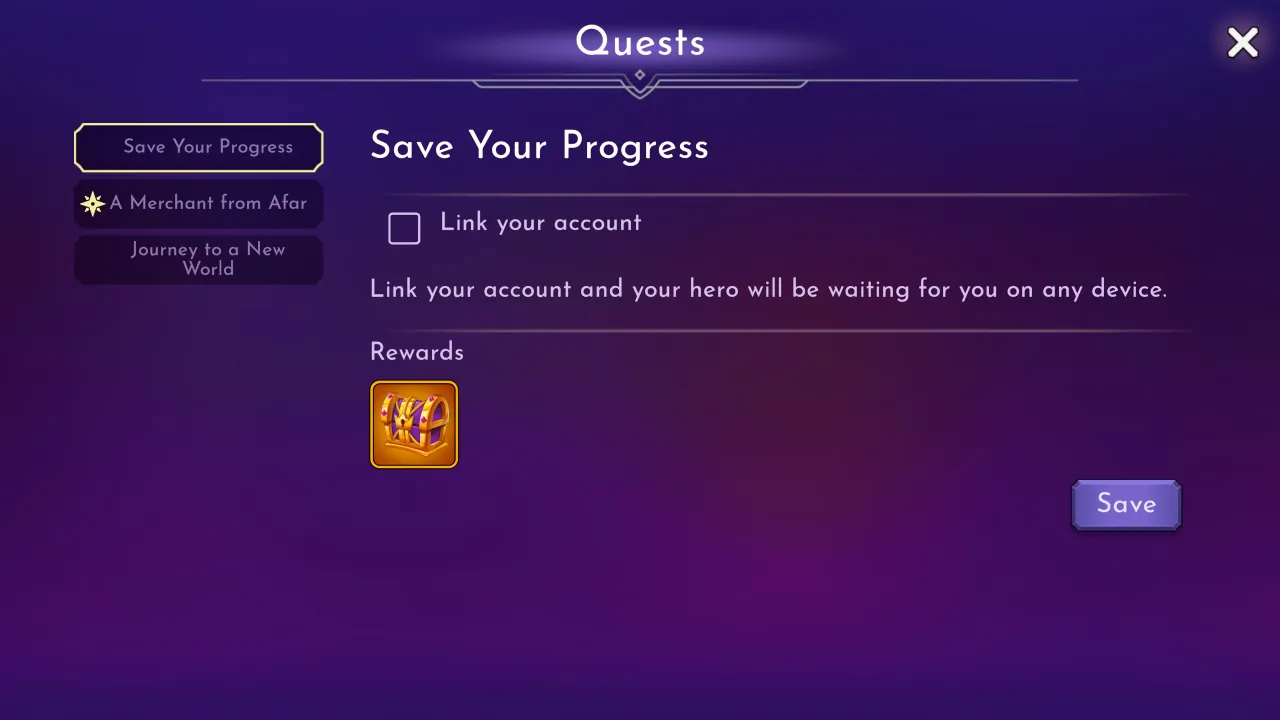
After the tutorial, a quest called Save Your Progress appears in your quest log. It has one objective, Link your account, and a Save button right in the quest entry. Linking completes it and pays a Legendary Relic. No character offers this quest. It is added quietly, and leaving it open blocks nothing else.
Playing on another device
On a new phone or computer, open the game as usual. It starts a guest at first. Go to Settings, press Sign in as another and pick the account you linked. The game warns that you will play as the account you sign in with and that progress on this device stays on the current account. Then it loads your real hero.
A Google or Facebook account belongs to one hero only. If you try to link an account that is already attached to another character, you will see That account already belongs to another player. The two are never merged. The same message offers Sign in as another, which switches you to that hero instead.
When the game saves
There is no save button. The server saves on its own:
- every minute while you play,
- every time you travel to another map,
- right after important moments, such as claiming a daily reward or receiving arena gold,
- when you close the game or lose the connection.
Where you appear when you log back in
The server also remembers where you were, with a few exceptions:
- Normally you appear exactly where you stood.
- The arena and the tutorial are temporary areas, so they are never saved as your location.
- If you logged out while dead, you appear at the town respawn point.
Your home server
The first time you play, the game connects you to a server for your region. Your account stays with that server afterwards, from any device. Leaderboards are shared by all regions, so your place there doesn't depend on your server. If something you earned couldn't be handed over, such as arena gold while your bag was full, it is kept for you and delivered on a later login.